AI actions inside your browser

Ceres turns your browser into an AI browser

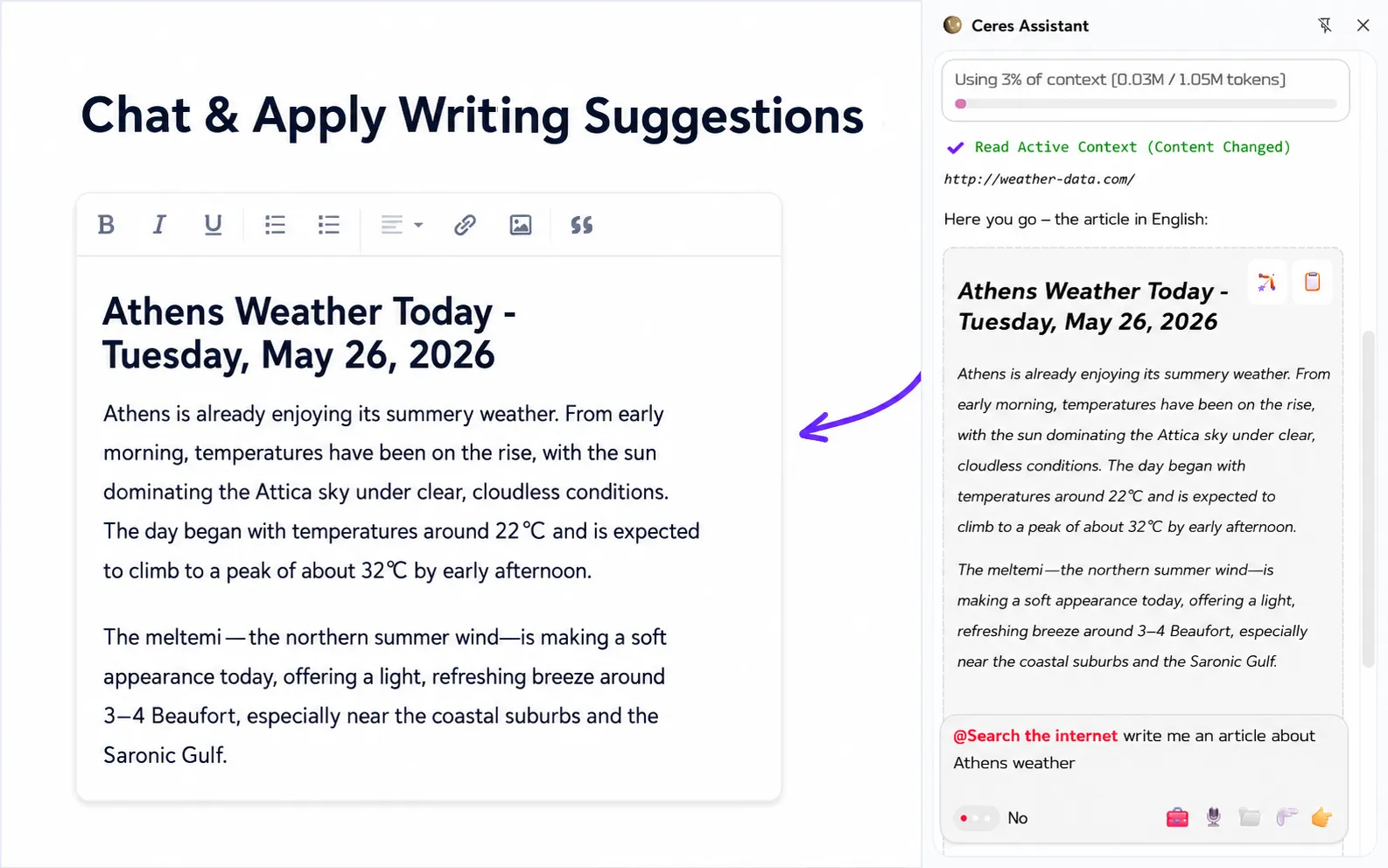
This is not just another browser assistant. It applies edits in place, understands your voice and history, works with PDFs, generates images in the sidebar, and lets you choose the model you trust.

Apply Suggestions Live Assist Voice Rewrites
Ceres logo
Ceres

* Free to use. License is optional.
  • Apply an AI writing suggestion
  • Context aware AI sidebar for Chrome
  • Image generation inside articles
  • Rewrite text with your voice
  • browser ai assistant with custom model selection
Seamless Integration

More than an AI sidebar

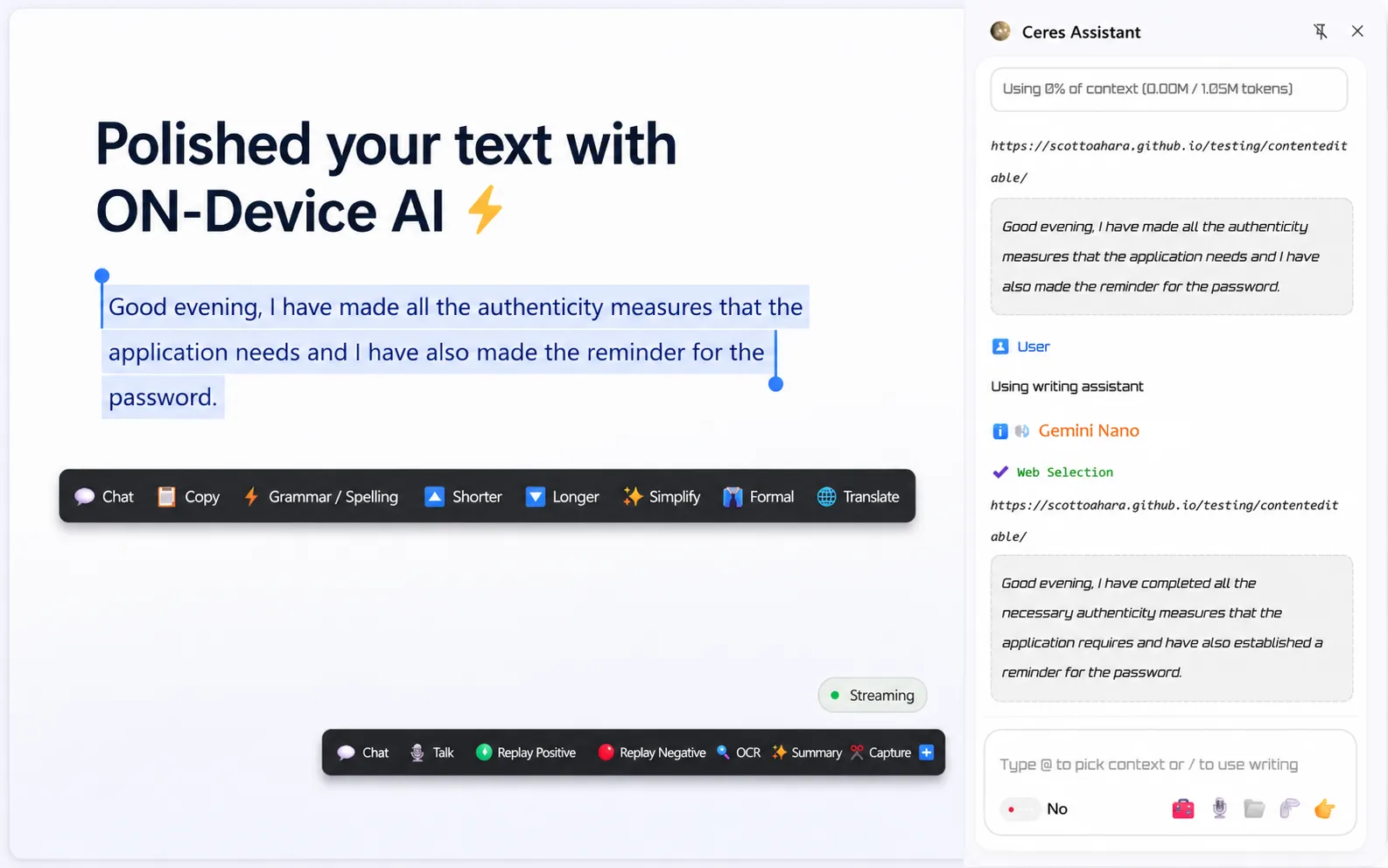
Ceres sidebar is more than an AI sidebar with suggestions and image generation. It integrates deeply with your current workflow, understands your voice, reads any tab or PDF, and gives smart, applicable suggestions directly in place. It feels more like an AI browser than a simple sidebar: a real AI partner while you browse and write.

Rewrites in place

Voice-guided writing

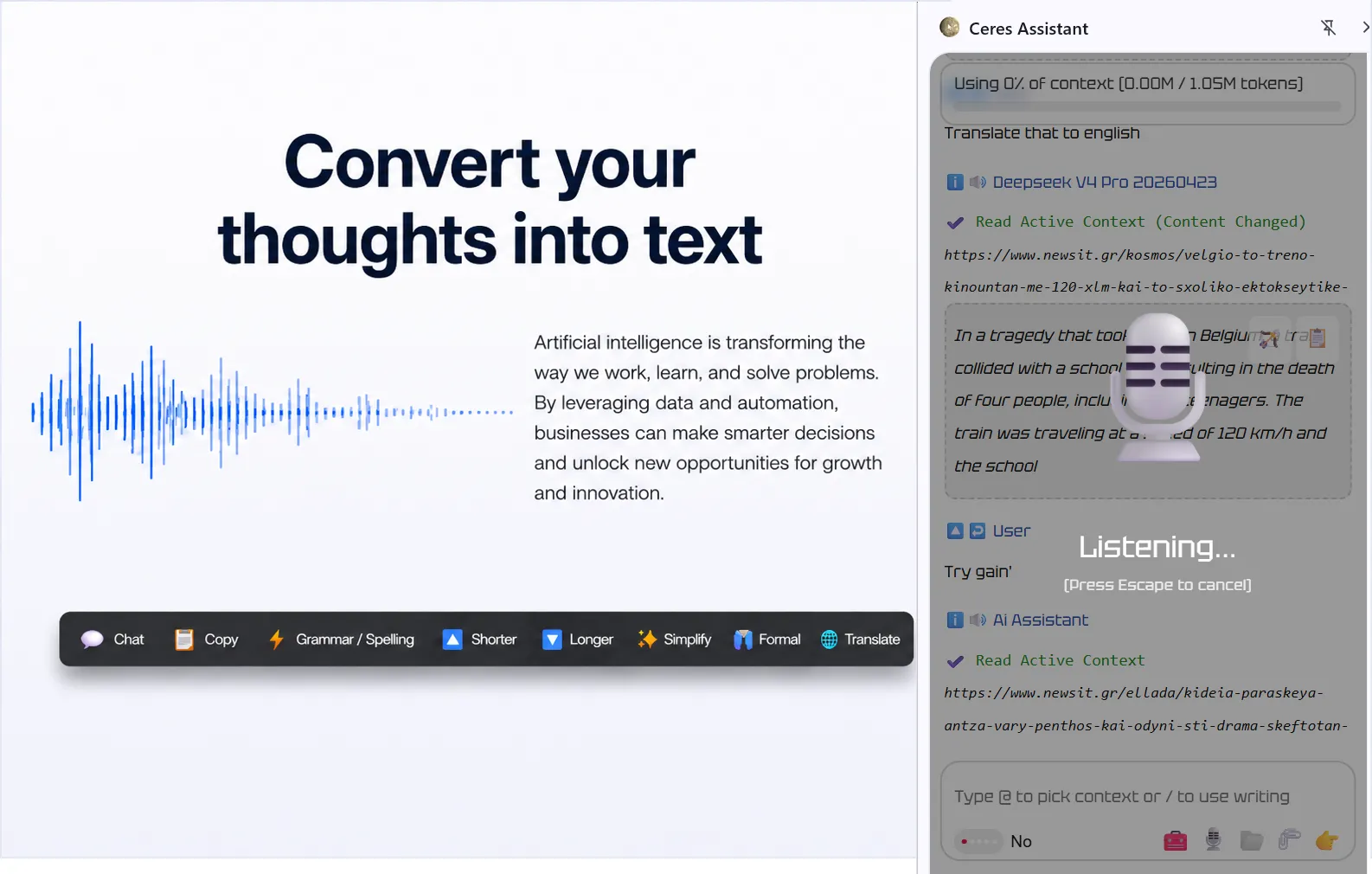
Start with rough text and improve it fast. Ceres can add missing details, complete a reply, clean up text, translate it, and even improve a product description. Turn a short note into something ready to send with a simple voice prompt. Just say what you need, and AI will format your writing. You are the boss, and AI is the engine.

Context Aware

Use open tabs or history

Ceres can read the current page, read browser history, and search the internet. If you want a meaningful assistant that can create enriched articles without switching to a separate app or giving instructions from scratch, Ceres keeps that workflow close.

Models and Images

Bring your own API key

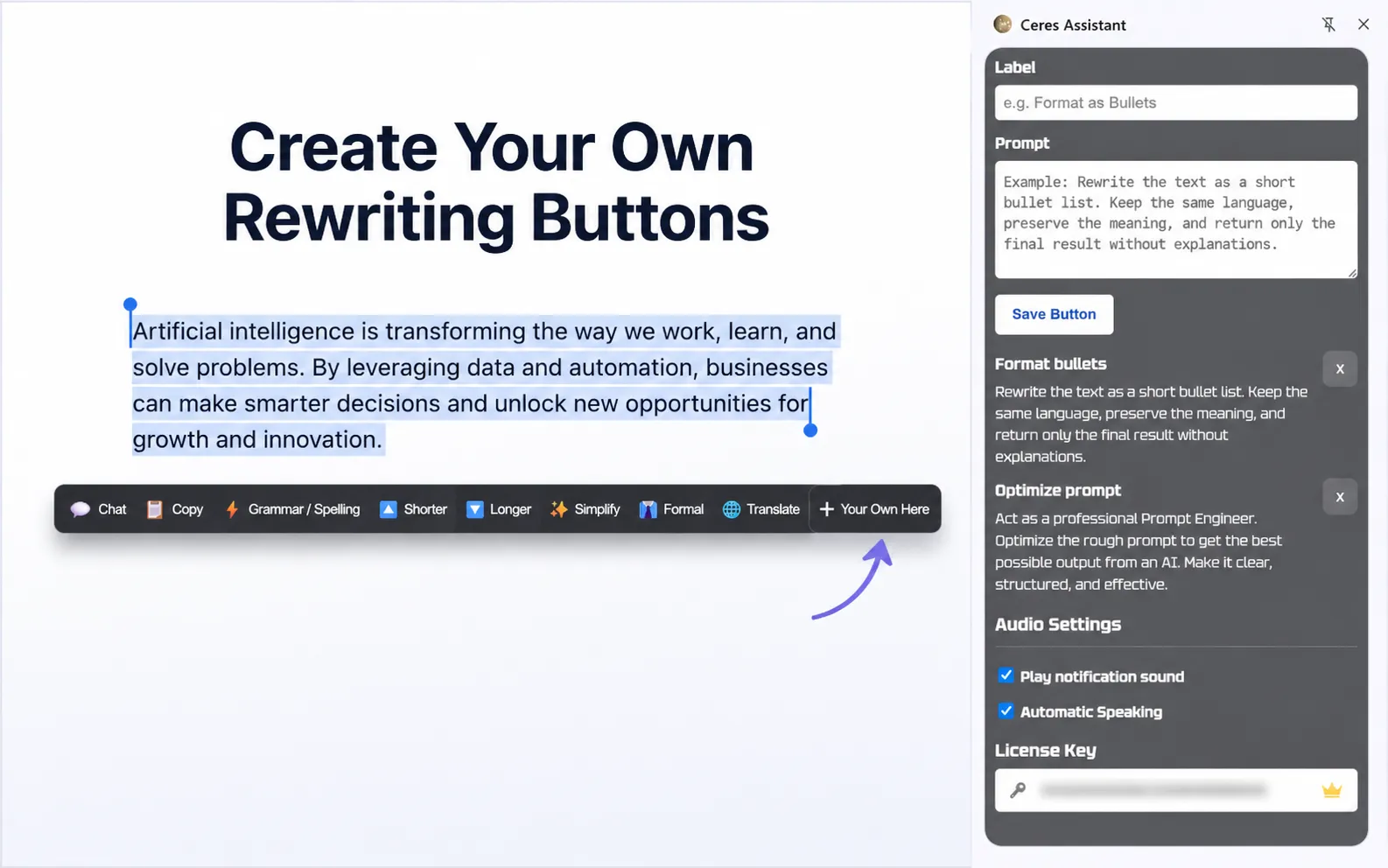
Connect OpenRouter, OpenAI, DeepSeek, Ollama, LM Studio, local AI, on-device AI, or another compatible provider. Use stronger models for serious work, lighter models for quick edits, and image generation when the task needs visuals.

Smart Actions

Smart Crop Future

The user crops an area from the current page and sends it to the Ceres sidebar. Ceres can then communicate with that selected piece as context: visual assets, photos, text, UI parts, screenshots, or anything visible on the page.

AI that edits with you.

Most browser work is still writing: emails, forms, replies, descriptions, tickets, comments, docs, and little text boxes everywhere.

Ceres helps at the moment you are editing. Select the text, say what should change, use page context when needed, and apply the result without opening a separate AI tab.

The voice command is the fast hook. The full sidebar gives you direct apply actions, web context, PDFs, URLs, images, and model control.

Useful tools for browser context

Ceres keeps useful browser-side tools close to the same workflow, so you do not need to bounce between disconnected tabs just to gather context or inspect recent work.

🌐

Search the internet

Look outward when the task needs current information instead of guessing from stale context.

🔗

Read URLs

Pull useful content from the web directly into the flow when a page already has the reference you need.

📄

Read PDF Files

Bring documents into the same workspace without breaking the task just to inspect a separate file viewer.

🕘

History Overview

Get a quick overview of recent work when you need to reconnect the current page with what came before.

Smart Crop

Crop a page area and pass it to the sidebar as visual or text context.

Built for everyday browser work

Ceres focuses on the actions that save time while you write and research: spoken edit instructions, text expansion, direct apply actions, page context, PDF reading, URL reading, image generation, custom APIs, and local model support.

Feature Ceres Sider Gemini in Chrome MaxAI Merlin HARPA AI
Local models / device AI Yes via Ollama/LM Studio No No No No Yes via Ollama/LM Studio
Web search Yes Yes Limited Yes Yes Yes
Read current page / URL Yes Yes Yes Yes Yes Yes
Apply text in place Yes No No No No No
Spoken edit instructions Yes No No No No No
Browser use No Under construction Under construction No No Yes
PDF support Yes Yes No Yes Yes Yes
Image generation Yes Yes No Yes No Yes
Custom API providers Yes Limited No No No Yes
Free usage Yes Yes Yes Yes Yes Yes
Chat with multiple tabs Yes No Yes No No No
Cost €19 lifetime $120+ / year $239.88 / year
Selected countries
$144 / year $228 / year $144 / year

Checked on April 12, 2026. Browser-extension workflow only. Some pricing is annualized from public monthly plans.

Supported AI Models

We probably already support your favorite model, from top-ranked models to budget-friendly options that help you spend less.

GPT logo GPT
Claude logo Claude
Gemini logo Gemini
DeepSeek logo DeepSeek
Mistral logo Mistral
xAI logo xAI
MiniMax logo MiniMax
Kimi logo Kimi
Z.ai logo Z.ai
Groq logo Groq
Together AI logo Together AI
Cohere logo Cohere
AI21 logo AI21
GPT logo GPT
Claude logo Claude
Gemini logo Gemini
DeepSeek logo DeepSeek
Mistral logo Mistral
xAI logo xAI
MiniMax logo MiniMax
Kimi logo Kimi
Z.ai logo Z.ai
Groq logo Groq
Together AI logo Together AI
Cohere logo Cohere
AI21 logo AI21

Built around real browser work

Ceres is strongest when the work is already happening in the browser. It stays tied to the page, uses context from your browser actions, and helps the user work with content in a direct, interactive way.

The same setup supports flagship, arena leader, and budget-friendly models, and it can also handle search on the internet, URL reading, PDF reading, voice input, and history overview inside the same workflow.

Join the Waitlist

Login 🔓
login